> ## Documentation Index
> Fetch the complete documentation index at: https://docs.clarivo.co/llms.txt
> Use this file to discover all available pages before exploring further.
# Local development
> Run the Clarivo docs locally to preview and contribute changes
**Prerequisites**:
* Node.js version 19 or higher
* Access to the [docs.clarivo.co](https://github.com/ernestova/docs.clarivo.co) repository
## Run the docs locally
```bash theme={null}
git clone https://github.com/ernestova/docs.clarivo.co.git
cd docs.clarivo.co
```
```bash theme={null}
npm i -g mint
```
```bash theme={null}
mint dev
```
A local preview will be available at `http://localhost:3000`.
The preview updates automatically as you edit files — no need to restart.
## Custom ports
By default the preview runs on port 3000. Use `--port` to change it:
```bash theme={null}
mint dev --port 3333
```
If port 3000 is already in use, the CLI picks the next available port automatically:
```
Port 3000 is already in use. Trying 3001 instead.
```
## Validate links
Before opening a PR, check for broken links:
```bash theme={null}
mint broken-links
```
## Deployment
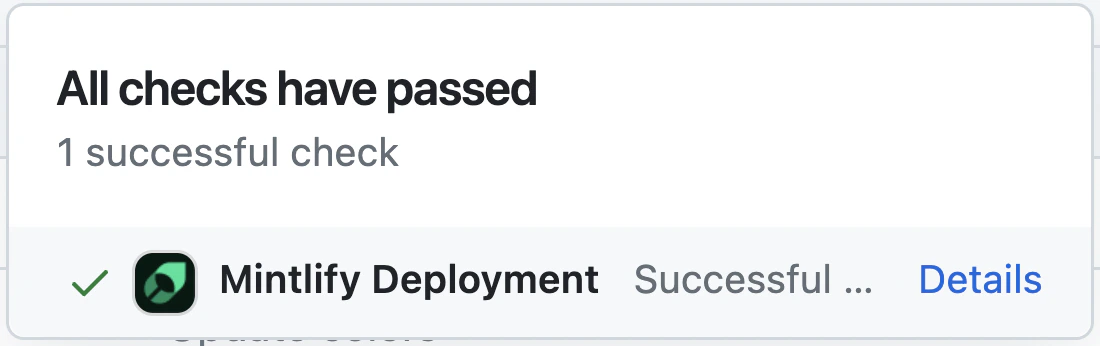
Changes merged to `main` are deployed automatically. A successful deployment shows:
 ## Code formatting
For VSCode users, install:
* [MDX VSCode extension](https://marketplace.visualstudio.com/items?itemName=unifiedjs.vscode-mdx) — MDX syntax highlighting
* [Prettier](https://marketplace.visualstudio.com/items?itemName=esbenp.prettier-vscode) — consistent formatting
## Troubleshooting
This is usually caused by an outdated Node version:
1. Remove the CLI: `npm remove -g mint`
2. Upgrade to Node v19 or higher
3. Reinstall: `npm i -g mint`
Delete the local Mintlify cache and restart:
```bash theme={null}
rm -rf ~/.mintlify
mint dev
```
## Code formatting
For VSCode users, install:
* [MDX VSCode extension](https://marketplace.visualstudio.com/items?itemName=unifiedjs.vscode-mdx) — MDX syntax highlighting
* [Prettier](https://marketplace.visualstudio.com/items?itemName=esbenp.prettier-vscode) — consistent formatting
## Troubleshooting
This is usually caused by an outdated Node version:
1. Remove the CLI: `npm remove -g mint`
2. Upgrade to Node v19 or higher
3. Reinstall: `npm i -g mint`
Delete the local Mintlify cache and restart:
```bash theme={null}
rm -rf ~/.mintlify
mint dev
```